In modern education, business, and creative collaboration, digital whiteboard software has become an essential tool. These platforms provide a virtual space where users can brainstorm ideas, plan projects, and present information in a way that is both interactive and visually appealing. Unlike traditional boards, digital whiteboards can be accessed from anywhere in the world, making them ideal for remote teams, online classes, and cross-country business meetings.
1. Miro
Miro is one of the most popular digital whiteboard platforms available. It is designed for collaboration, allowing multiple users to work on the same board simultaneously. Miro offers templates for brainstorming, agile workflows, and product design. The interface is intuitive, and it integrates with tools like Slack, Trello, and Zoom.
2. Microsoft Whiteboard
Microsoft Whiteboard is included with Microsoft 365 and integrates seamlessly with other Microsoft tools. It allows real-time collaboration and is particularly useful in professional and educational settings. With its simple design, even beginners can start using it quickly.
3. Google Jamboard
Google Jamboard is a cloud-based platform that integrates with Google Workspace. It supports collaborative drawing, note-taking, and file sharing. Jamboard also has a physical device that pairs with the software for in-person meetings.
4. Siteboard
Ziteboard is a minimalist online whiteboard designed for quick brainstorming and sketching. It works entirely in the browser and does not require installation. While it lacks some advanced features, it is perfect for simple collaborative sessions.
5. Lucidspark
Lucidspark was created by the same team that developed Lucidchart. It offers robust collaboration tools, sticky notes, and voting features for group decision-making. It also integrates with popular productivity apps, making it easy to include in existing workflows.
6. Conceptboard
Conceptboard is an excellent choice for visual collaboration. It allows users to add images, videos, and documents to boards and then annotate them in real time. It is particularly popular in design and creative industries.
7. Stormboard
Stormboard combines brainstorming and project management features in one tool. It allows users to create digital sticky notes, organize them into categories, and assign tasks directly from the board.
8. MURAL
MURAL is a powerful digital workspace for visual collaboration. It is especially useful for design thinking, agile workflows, and problem-solving sessions. The platform offers hundreds of templates to get started quickly.
9. AWW App (A Web Whiteboard)
AWW App is a simple yet effective online whiteboard. It allows users to draw, add notes, and collaborate in real time. Its straightforward design makes it ideal for educational purposes and informal meetings.
10. Limnu
Limnu replicates the feel of a physical whiteboard while adding the benefits of digital collaboration. It has smooth drawing tools and a user-friendly interface. It is widely used for both teaching and corporate brainstorming.
11. Explain Everything
Explain Everything is more than just a whiteboard. It allows users to create interactive video lessons and presentations. The recording feature is especially useful for teachers who want to share lessons asynchronously.
12. InVision Freehand
Freehand is a collaborative online whiteboard from InVision. It is designed with creative teams in mind, providing tools for wireframing, brainstorming, and feedback collection. It integrates well with design tools like Sketch and Figma.
13. Collaboard
Collaboard is a secure and flexible digital whiteboard platform with strong privacy protections. It is used by businesses and organizations that require secure data handling. The platform supports drawing, file sharing, and sticky notes.
14. Whiteboard.fi
Whiteboard.fi is a web-based whiteboard specifically designed for classrooms. Teachers can create a class session where each student gets their own private whiteboard. The teacher can see all boards in real time, making it great for monitoring progress.
15. FigJam
FigJam, created by the team behind Figma, is a digital whiteboard designed for collaborative design thinking. It allows for sticky notes, freehand drawing, and integration with Figma projects.
16. SessionLab
While primarily a workshop planning tool, SessionLab also offers a whiteboard space for collaboration. It is particularly useful for event planners and trainers who need to organize sessions and share ideas visually.
Benefits of Using Digital Whiteboard Software
Digital whiteboards provide many advantages over traditional boards, including:
- Remote Collaboration: Teams can brainstorm together regardless of location.
- Multimedia Support: Users can add images, videos, documents, and links.
- Templates and Tools: Pre-designed templates make it easy to start new projects.
- Real-Time Updates: Changes are instantly visible to all participants.
- Cloud Storage: Boards can be saved, revisited, and updated at any time.
How to Choose the Best Digital Whiteboard Software
When selecting the right tool for your needs, consider:
- Ease of Use – Choose a platform with a simple and intuitive interface.
- Integration – Make sure it connects with your existing tools.
- Collaboration Features – Look for real-time editing, comments, and chat.
- Security – Especially important for corporate and educational environments.
- Pricing – Consider whether the free version meets your needs or if a paid plan is worth it.
Digital Whiteboards in Education and Business
Both the education and corporate sectors benefit greatly from using digital whiteboards. In classrooms, teachers can engage students through interactive lessons, multimedia resources, and real-time collaboration. In the corporate world, teams can brainstorm, plan projects, and make decisions faster.
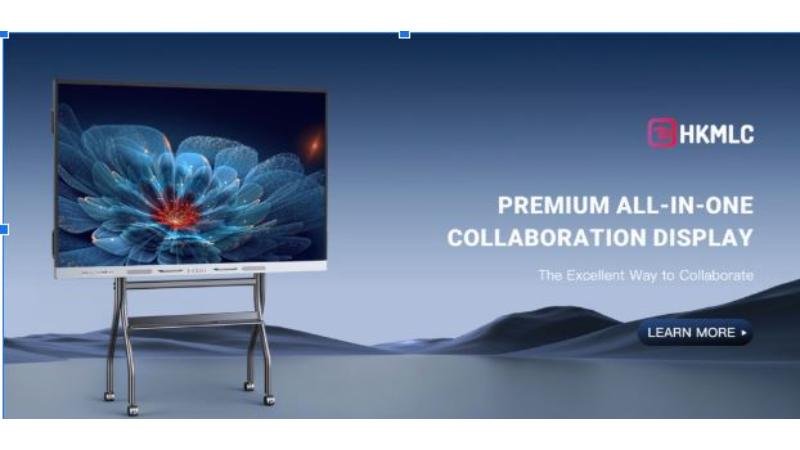
Some products, like HKMLC digital whiteboards, combine advanced hardware with user-friendly software, offering a complete solution for interactive learning and business presentations. These tools often include touch sensitivity, wireless sharing, and cloud-based storage.
As technology advances, tools like HKMLC digital whiteboards will continue to push the boundaries of what is possible in both education and business collaboration. The goal will be to make interaction as natural and engaging as possible, even in a virtual environment.
Final Thoughts
Digital whiteboard software has transformed the way we collaborate, teach, and share ideas. With so many options available, it is possible to find a platform that suits any team size, industry, or purpose. Whether you are a teacher looking to make lessons more interactive, a business leader aiming to improve productivity, or a creative professional brainstorming your next project, there is a digital whiteboard solution tailored for your needs.
By choosing the right tool and using it effectively, you can unlock new levels of creativity, engagement, and collaboration. The sixteen options in this list represent some of the best available today, each offering unique features to suit different users. If you more details to Visit WORLD US MAGAZINE .